
If you’re planning a trip to Japan, adding a Suica card to your Apple Wallet is one of the most convenient ways to streamline your transportation and small purchases. Suica is a rechargeable IC transit card that’s widely accepted across Japan’s public transport network, including JR railway lines, subways, private railways, and buses. It can also be used in convenience stores, vending machines, and even some cafés and restaurants. For everyday purchases under a few thousand yen, paying with Suica is often quicker than handling cash and helps you avoid collecting loose change during your travels.
For iPhone users, the virtual Suica card via Apple Wallet is highly recommended. It works just like the physical version but offers additional convenience—you can recharge it directly using Apple Pay, view your balance and transaction history at any time, and avoid the risk of losing or damaging a physical card.
Here is the step-by-step guide of adding Suica to your Apple Wallet:
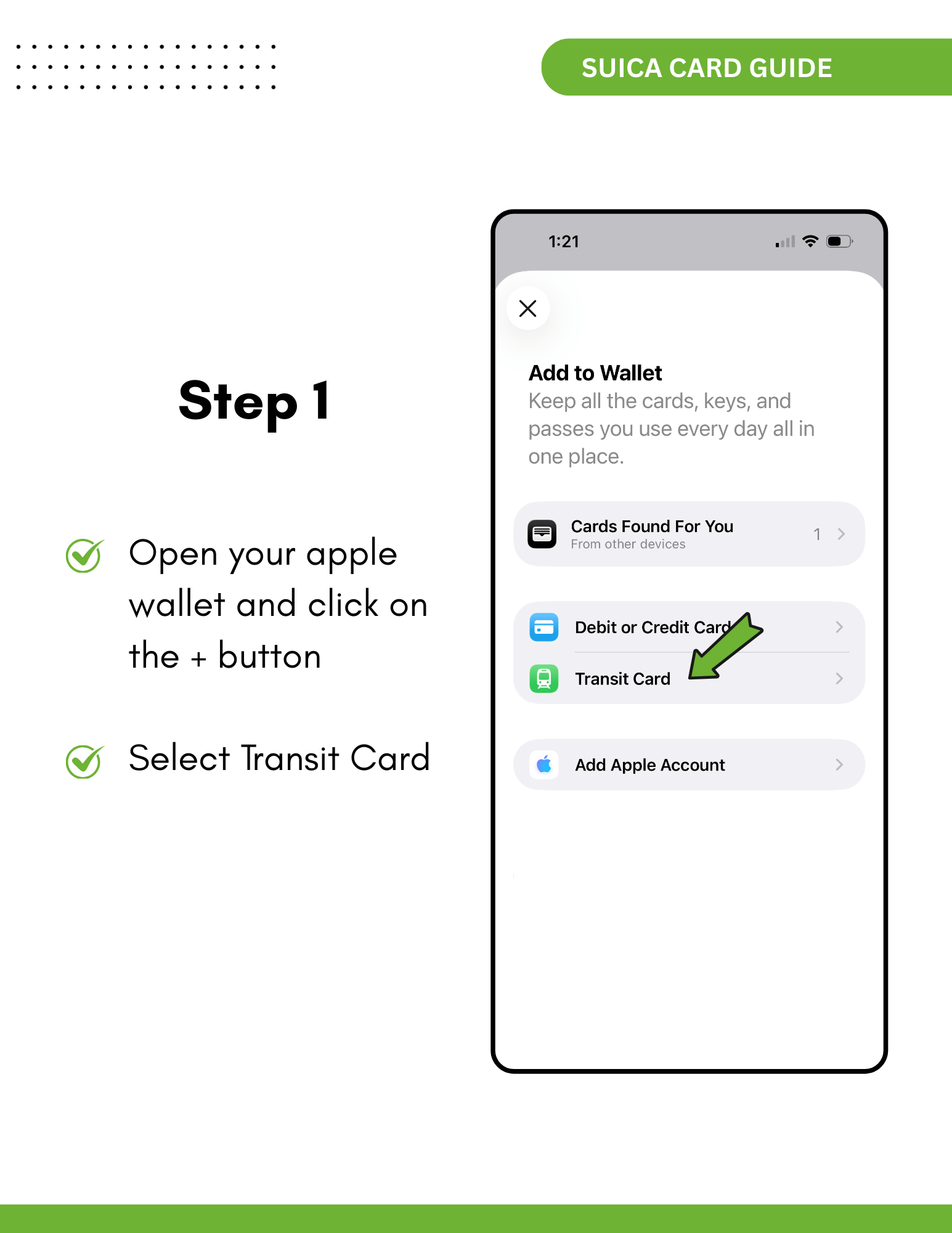
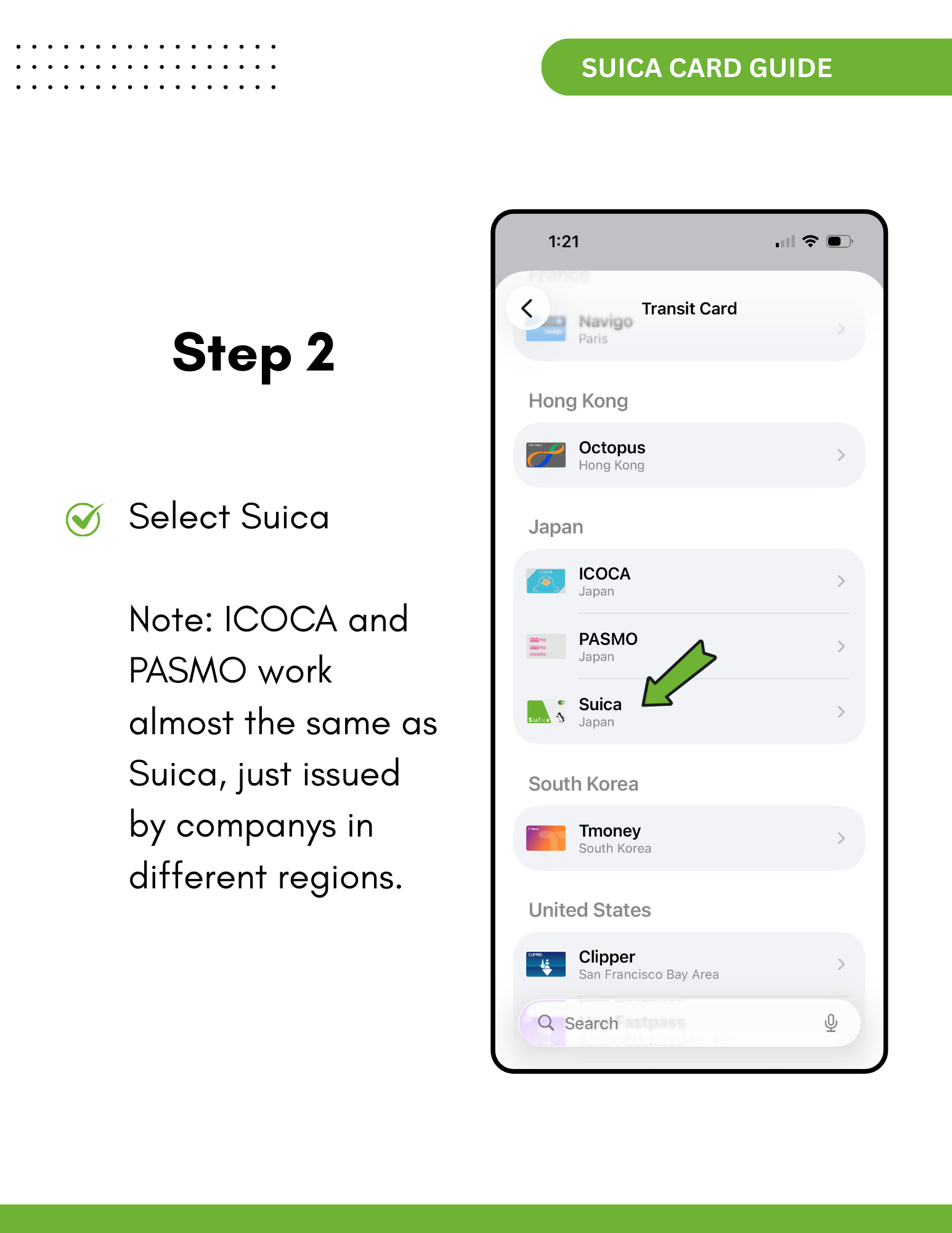
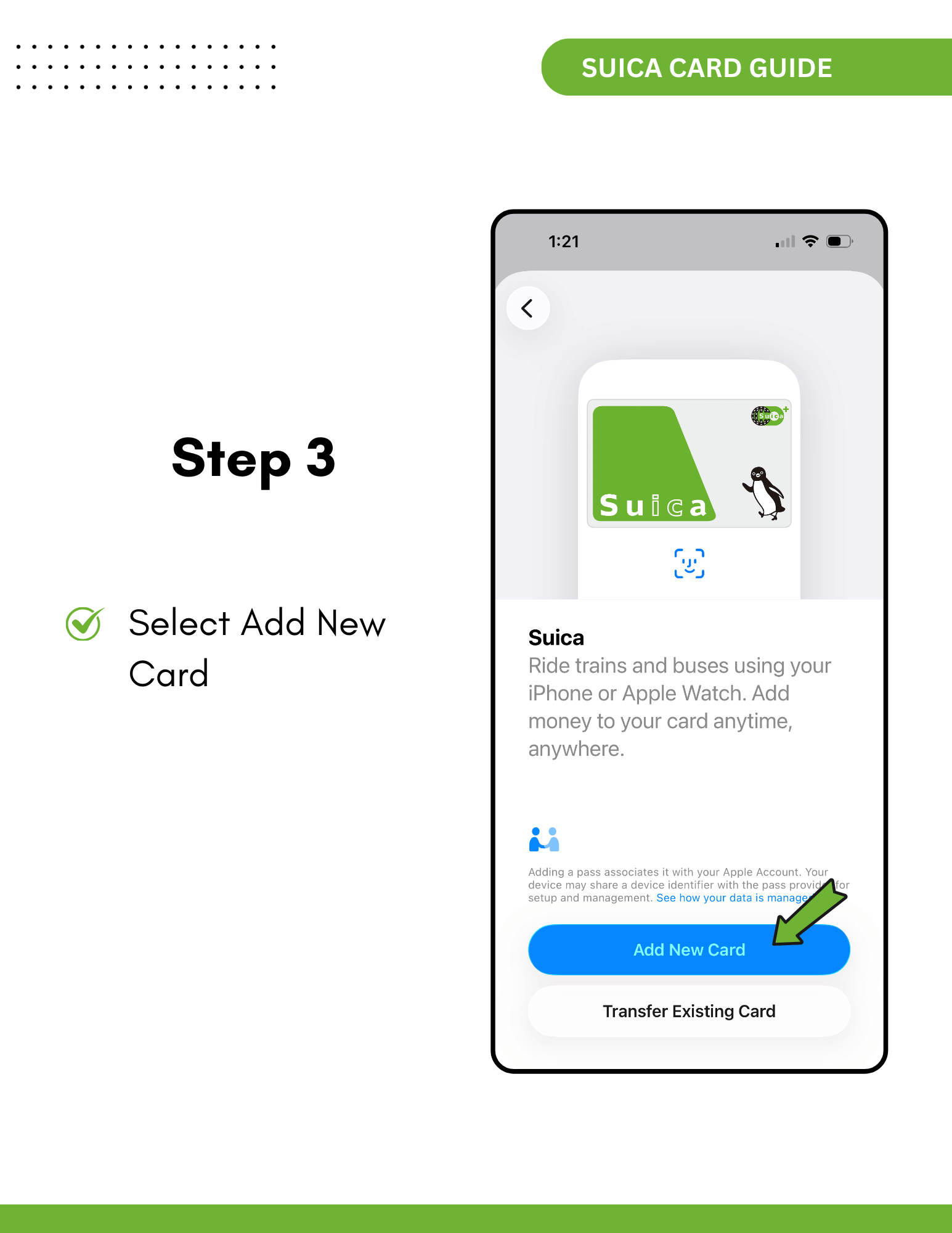
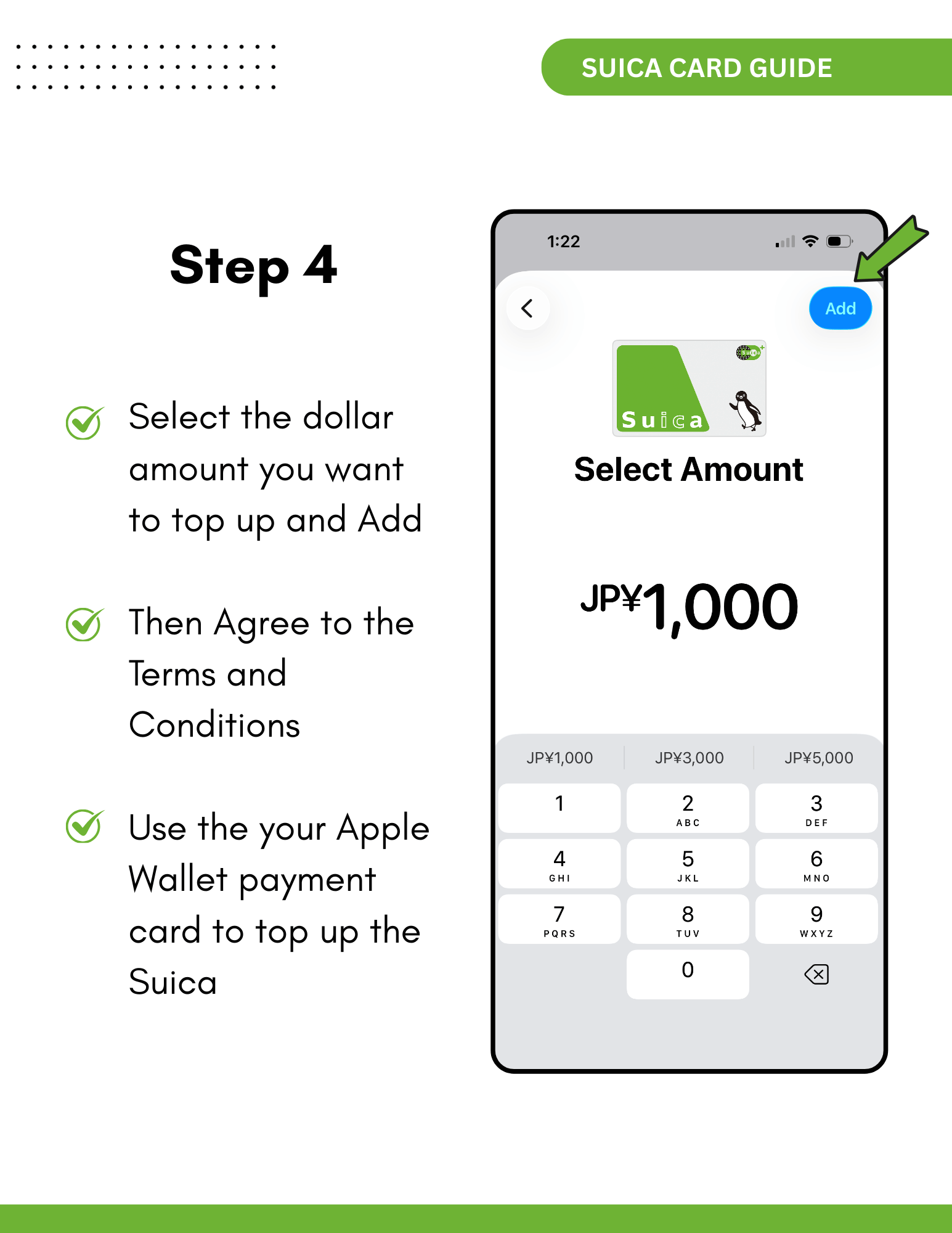
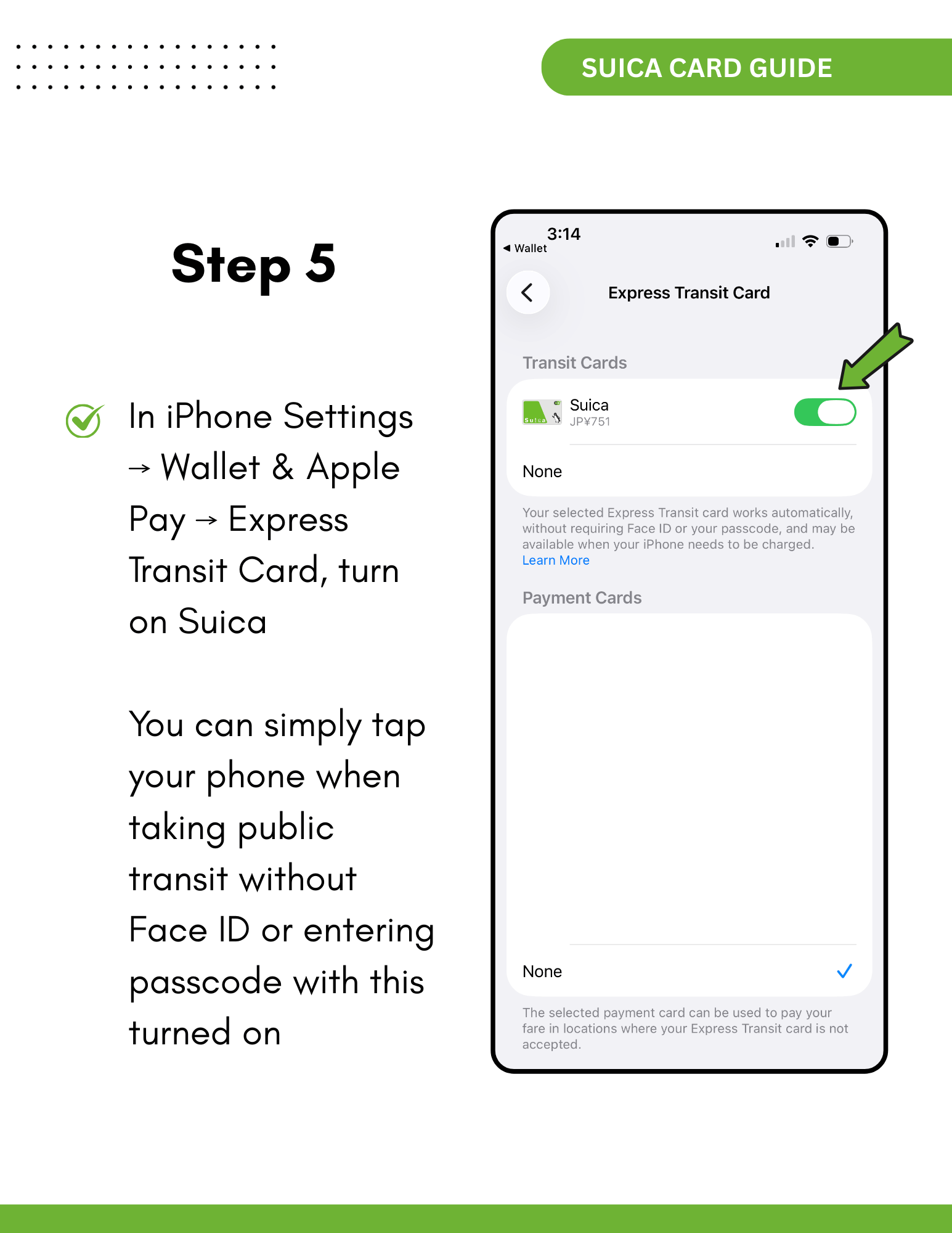
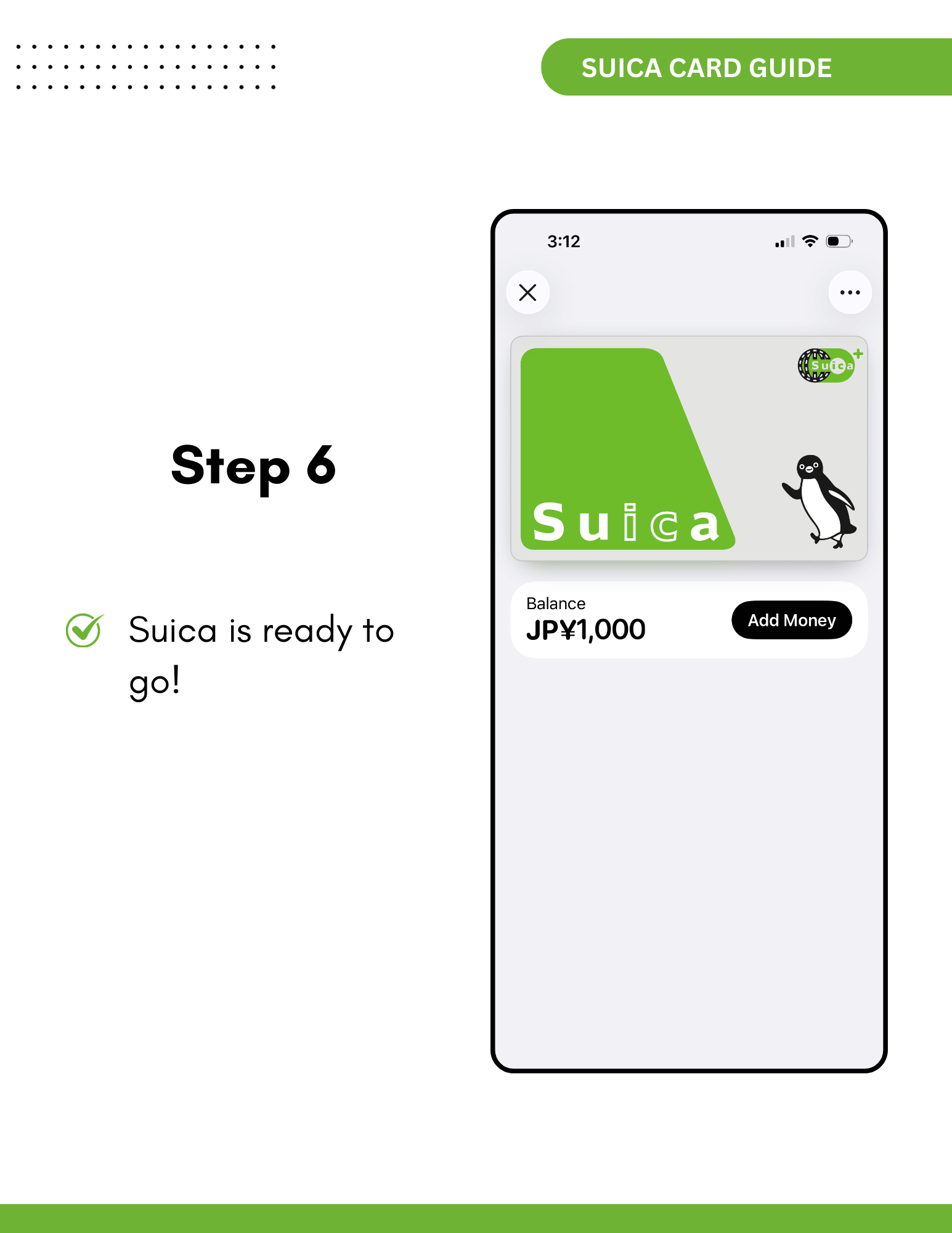
Be aware that some Visa cards may not work during the loading process due to issuer restrictions. If that happens, try using a Mastercard or another credit card. You can also top up your card with cash at convenience stores or station kiosks by simply telling the staff you’d like to recharge your Suica card. This makes it easy to continue using the card even if your credit card isn’t supported while traveling.
For those who prefer a physical option, the “Welcome Suica” card is available for short-term visitors. It does not require a deposit and can be reloaded, but it expires after 28 days. These cards are typically sold at major airports and train stations, although there may be queues during busy travel periods. In comparison, the mobile Suica card doesn’t expire and can be set up instantly using your phone, making it the more convenient choice overall.
Suica is widely accepted in major cities such as Tokyo, Osaka, Kyoto, and Yokohama, as well as on most regional JR lines. In some rural areas, however, certain stations may not support Suica payments, in which case you can ask station staff for assistance or purchase a separate ticket. That said, if you’re traveling mainly within urban or popular tourist areas, you won’t need to worry about compatibility.
To make your trip smoother, it’s best to set up Suica in your Apple Wallet before arriving in Japan. Since it relies on your phone, consider carrying a portable charger to avoid being unable to tap through gates due to low battery. Whether it’s for trains, vending machines, or quick snacks at convenience stores, Suica is ideal for both first-time and frequent travelers, helping you navigate Japan with ease and efficiency.
Planning your trip to Japan?
If you’re currently planning your trip to Japan and want everything to feel simple and meaningful, I’ve created a series of calming digital travel guides to help you explore at your own pace. Each guide includes thoughtfully planned itineraries, Google Maps links, food recommendations, scenic walking routes, and cultural highlights.
👉 Check out my Japan Travel Guides here and save hours of planning.